n8n Automation Workflows on Cloud VPS with eCloud.lk: A Complete Guide for Sri Lankan Businesses
For Sri Lankan businesses aiming to automate processes with confidence, hosting n8n on a reliable cloud platform is key. eCloud.lk delivers Cloud VPS with direct network peering and low-latency connectivity designed for Sri Lanka’s enterprise needs. With fixed, transparent pricing in LKR, local 24/7 support, and optional migration assistance, you gain a scalable, predictable foundation for n8n hosting – whether you’re building complex n8n workflows, streamlining approvals, or integrating multi-cloud apps. This guide walks you through why Cloud VPS is a solid choice for n8n automation, and how to set up, secure, and maintain your own self-hosted n8n in Sri Lanka.
Why host n8n on Cloud VPS with eCloud.lk
- Performance with low latency: Cloud VPS on eCloud.lk uses NVMe SSD storage and scalable resources, delivering responsive n8n workflows even as you scale.
- Direct network peering and Sri Lankan connectivity: Experience consistent performance for your internal tools and remote sites around Sri Lanka.
- Predictable costs in LKR: Fixed-rate pricing with clear resource caps and zero hidden overages helps with budgeting and avoid USD fluctuations.
- Local support you can trust: 24/7 support, plus enterprise-grade security features and compliance guidance tailored to Sri Lankan regulations.
- Ready for migration: eCloud.lk offers assisted migration from GoDaddy, AWS, or local resellers with minimal downtime, easing the transition for your teams.
- Enterprise-ready stack: NVMe-backed VPS hosting, automated backups, robust firewalls, and a path to compliant deployment for business-critical workflows.
- What you’ll get with Cloud VPS: A virtual server hosted on cloud infrastructure with dedicated CPU, RAM, and NVMe storage – offering more control, reliability, and performance than standard shared hosting. This is ideal for hosting n8n workflows, whether you are building API integrations, data pipelines, or multi-step automation across tools.
What is n8n hosting on Cloud VPS?
- n8n hosting refers to running the n8n automation platform on your own server instead of using the public n8n cloud. On Cloud VPS, you install and run n8n yourself, giving you full control over data, authentication, and backups.
- In Sri Lanka, hosting n8n on a VPS with direct peering to local ISPs like SLT, Dialog, and Hutch, reduces latency for internal processes, supports data sovereignty considerations, and aligns with local regulatory guidance.
- With eCloud.lk Cloud VPS, you can run n8n workflows and n8n automation with predictable pricing, direct network access, and the option to integrate with other locally hosted or cloud-based systems.
- The product supports hosting for n8n cloud-like capabilities on your own infrastructure, while preserving the benefits of a managed, local provider.
Getting started: prerequisites and planning
- Domain and DNS: Have a domain you can point to your VPS. Prepare SSL/TLS for secure access (recommended).
- Security basics: SSH access with key-based authentication, a non-root admin user, and a plan for firewall rules.
- Environment decisions: Decide between Docker-based deployment (recommended for production) or a direct npm install approach. Docker offers easier upgrades, isolation, and simpler backups.
- Data strategy: Plan for persistent storage and backups (n8n stores data in a database; PostgreSQL is common for production deployments).
Two practical paths to run n8n on Cloud VPS
Option A — Docker Compose (recommended for production)
- Why docker-compose: isolates dependencies, simplifies upgrades, and makes backups and restarts predictable.
- What you’ll set up:
- A dedicated VPS with sufficient CPU, RAM, and NVMe storage.
- Docker and Docker Compose installed on your VPS.
- A PostgreSQL database for n8n (or you can use SQLite for testing, but PostgreSQL is preferred for production).
- An Nginx reverse proxy for SSL termination and a clean external URL.
- TLS certificates (Let’s Encrypt via Certbot).
- High-level steps:
- Prepare the server: update OS, create a non-root user with sudo, tighten SSH access, and install necessary packages.
- Install Docker and Docker Compose.
- Create a docker-compose.yml that defines:
- n8n service with environment variables for host, port, protocol, authentication, and database connection.
- PostgreSQL service with its own data volume.
- Optional Redis for advanced queueing and performance.
- Configure Nginx as a reverse proxy and enable HTTPS with Certbot.
- Start the stack with docker-compose up -d and verify access at your domain.
- Create a strong admin user for n8n and begin building your n8n workflows.
- Key environment variables to consider for n8n:
- N8N_HOST, N8N_PORT, N8N_PROTOCOL (https recommended)
- N8N_BASIC_AUTH_ACTIVE, N8N_BASIC_AUTH_USER, N8N_BASIC_AUTH_PASSWORD
- N8N_JAVASCRIPT_TIMEOUT, N8N_TIMEZONE (set to Asia/Colombo if you operate on local business hours)
- N8N_DATABASE_TYPE, N8N_DATABASE_POSTGRESDB_HOST, N8N_DATABASE_POSTGRESDB_PORT, N8N_DATABASE_POSTGRESDB_DATABASE, N8N_DATABASE_POSTGRESDB_USER, N8N_DATABASE_POSTGRESDB_PASSWORD
- Benefits of this approach for Sri Lanka: predictable costs, robust data separation, easy migrations, and scalable performance for growing n8n workflows.
Option B – Direct npm installation (for testing or smaller workloads)
- Quick path to get started: install Node.js, npm, and n8n globally, then run n8n.
- Caveat: this is simpler but less isolated than Docker. For production, Docker Compose is strongly recommended on eCloud.lk Cloud VPS.
Step-by-step quick-start (Docker Compose path)
- Step 1: Prepare the VPS
- Create a fresh VPS with sufficient resources (CPU, RAM, NVMe storage) on eCloud.lk.
- Set up a non-root admin user and secure SSH access.
- Step 2: Install Docker and Docker Compose
- Install Docker Engine and Docker Compose on the server.
- Step 3: Create a docker-compose.yml
- Define services: n8n, postgres (and optionally redis).
- Configure volumes for data persistence.
- Set environment variables for secure access and database configuration.
- Step 4: Set up a domain and SSL
- Configure Nginx as a reverse proxy to route external requests to your n8n container.
- Install Let’s Encrypt certificates via Certbot for HTTPS.
- Step 5: Start and test
- Run docker-compose up -d, then access your domain to verify the login screen and start building n8n workflows.
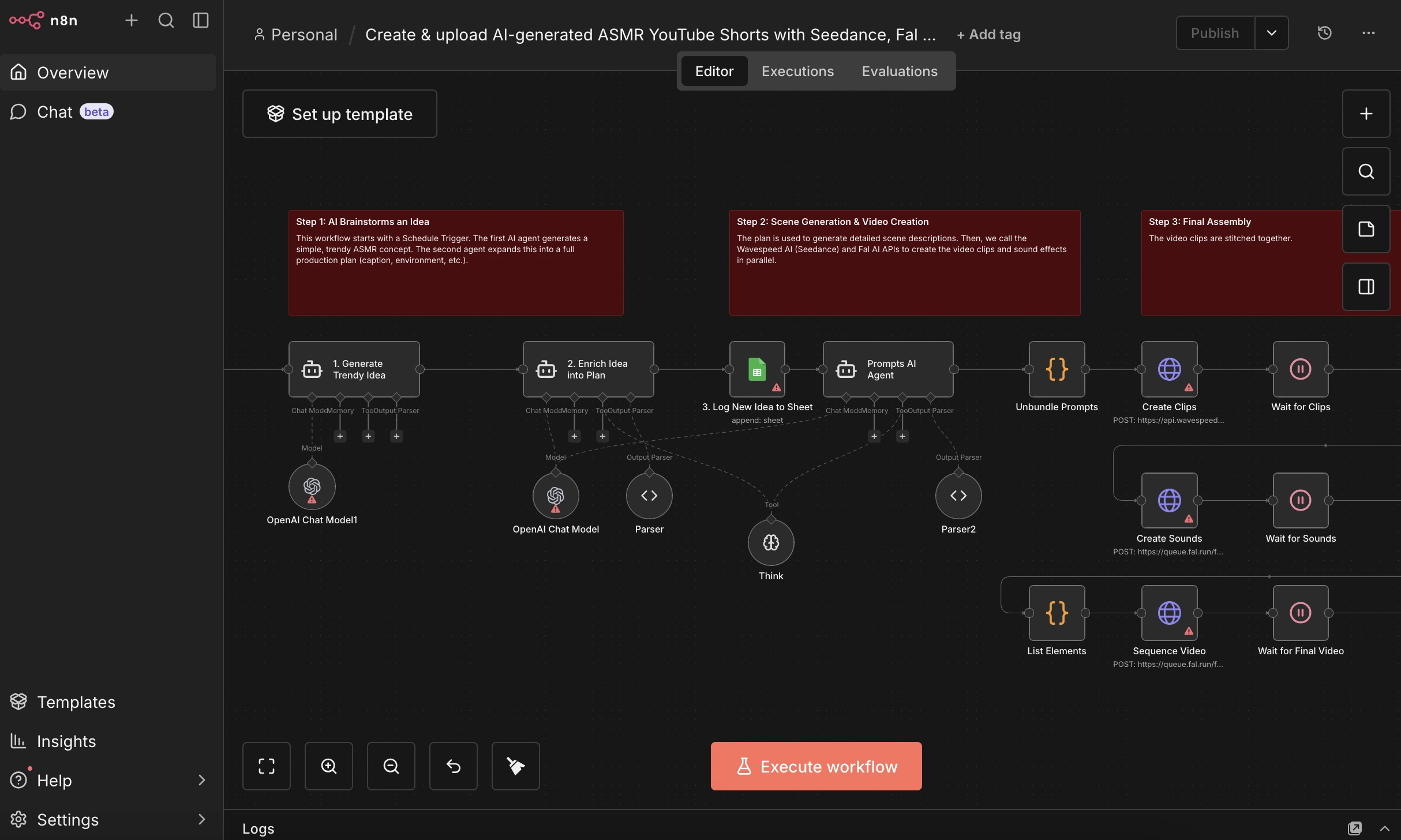
- Step 6: Build n8n workflows
- Connect your apps (APIs, databases, SaaS tools) and begin automating repetitive tasks.
Security, backups, and compliance
- Access control: Use strong, unique credentials for n8n; enable N8N_BASIC_AUTH for a basic layer of protection; consider adding IP allowlists if you operate within a corporate network.
- Data protection: Use PostgreSQL with regular snapshot backups; configure automatic backups and test restoration periodically.
- System hardening: Keep the OS updated, disable root SSH access, enforce key-based authentication, and enable a firewall (such as ufw or firewalld) to minimize exposure.
- Backups: Leverage eCloud.lk’s backup capabilities to create off-host backups and ensure quick recovery in case of failure or data corruption.
- Compliance guidance: eCloud.lk provides local compliance guidance and documentation to help you align with Sri Lankan regulations, including data sovereignty considerations when hosting workflows and customer data.
Scaling and maintenance
- Monitoring: Use server monitoring to track CPU, RAM, and disk usage. Keep an eye on n8n’s process health and database performance.
- Upgrades: With Docker Compose, upgrading n8n can be as simple as pulling the latest image and re-deploying. Always back up your data first.
- High availability: For mission-critical automations, consider a secondary VPS and a load-balancing or failover strategy, plus regular cross-region backups if you operate across multiple sites in Sri Lanka.
Migration and practical support from eCloud.lk
- Assisted migration: If you’re moving from GoDaddy, AWS, or a local reseller, eCloud.lk can facilitate the switch with minimal downtime, preserving n8n configurations and workflows.
- Local expertise: Our team understands Sri Lankan network conditions, compliance requirements, and the need for reliable 24/7 support when hosting n8n in Sri Lanka.
- Fixed pricing: You’ll benefit from clear, predictable LKR pricing for your Cloud VPS, avoiding sudden USD price shifts that can affect budgeting for ongoing n8n automation projects.
- Security and reliability: With enterprise-grade firewalls, automated backups, and documented compliance guidance, you can rely on eCloud.lk for a robust foundation for n8n workflows and n8n automation initiatives.
Real-world use cases: n8n workflows in Sri Lanka
- Finance and operations: Automate invoice routing, approvals, and reconciliations across multiple apps with centralized control on your local VPS.
- Helpdesk and customer support: Route tickets between systems, trigger alerts, and auto-create knowledge-base entries in response to customer inquiries.
- HR and onboarding: Orchestrate onboarding tasks, document approvals, and provisioning of access to tools across departments, with data kept within your region.
- Marketing and analytics: Collect data from multiple sources, transform it, and push it to dashboards or analytics tools with reliable, consistent performance.
A quick note on “n8n cloud” vs. self-hosted on Cloud VPS
- n8n cloud is a hosted option managed by n8n, while hosting on eCloud.lk Cloud VPS gives you full control over data, security, and customization for your Sri Lankan operations. For many Sri Lankan businesses, a self-hosted approach on a trusted local provider offers greater predictability, privacy, and compliance assurance, while still enabling seamless integration with n8n cloud services if and when you choose to extend capabilities.
Conclusion
Hosting n8n automation workflows on a Cloud VPS with eCloud.lk provides a reliable, locally supported, and cost-predictable solution for Sri Lankan businesses. By choosing a Cloud VPS with direct network peering and NVMe storage, you gain the performance needed for complex n8n workflows, while maintaining control over data, security, and compliance. Whether you’re consolidating multi-cloud apps, simplifying vendor management, or preparing for audits, eCloud.lk offers the right balance of local service and global technology to help you succeed.
If you’re ready to optimize your n8n workflows in Sri Lanka with a trusted local partner, contact eCloud.lk today. Our team can guide you through selecting the right Cloud VPS plan, assist with migration, and help you deploy robust, scalable n8n automation that aligns with your business goals.
Frequently asked questions (quick answers)
- Is Cloud VPS necessary for n8n hosting?
Not always, but it provides better control, performance, and data sovereignty for production n8n workflows compared to shared hosting. It also enables you to scale resources as needed. - How does eCloud.lk support Sri Lankan businesses specifically?
We offer 24/7 support, fixed LKR pricing, local compliance guidance, and assisted migration services to minimize downtime. - Should I use Docker for n8n on Cloud VPS?
Yes. Docker Compose simplifies deployment, upgrades, and backups, making it the preferred approach for production n8n hosting on a Cloud VPS. - What about backups?
Set up automated backups for both the n8n data and the database. Use local backups on the VPS and periodic off-site backups through eCloud.lk as part of your disaster recovery plan. - Can I connect to n8n cloud services from self-hosted n8n?
Yes. You can integrate with n8n cloud services as needed, but hosting n8n in Sri Lanka gives you control over data and configurations while maintaining access to cloud-based extensions when required.
Notes for optimization
- If your focus is real-time processing across multiple Sri Lankan locations, ensure your VPS has adequate CPU cores and memory, and consider a Redis-backed queue for high-throughput automations.
- When defining environments, prefer secure authentication and network access controls to protect sensitive automation workflows.
- Regularly review your backups and test restores to ensure quick recovery in the event of a failure.
This guide provides a clear, structured path to implementing n8n hosting on eCloud.lk Cloud VPS, tailored for Sri Lankan businesses seeking trusted, transparent, and local support for their automation initiatives. If you’d like a personalized consultation or hands-on migration planning, reach out to the eCloud.lk team today. The journey to robust, compliant, predictable automation starts here.